
Workflow automation: stop being the glue between your apps.
In most teams, someone spends part of every day moving information from one app to another: a form into a spreadsheet, a lead into the CRM, a reply into WhatsApp. We map that work and replace it with workflows that run on their own, with logging and alerts so failures surface instead of hiding. For ATR Drill, n8n already handles scheduled social posts and WhatsApp conversations around the clock.
- n8n and Make
- CRM
Complete enquiries go straight to sales. Anything missing goes to a person.
Workflow automation at a glance
- What it is
- n8n, Make and Zapier workflows and WhatsApp automation that move data between your apps on their own.
- Who it is for
- Teams where someone spends part of every day copying leads, orders or replies from one app to another.
- Price
- Quoted per workflow after a call. Tool subscriptions and WhatsApp message fees are explained upfront.
- Time
- We start with one or two workflows; the date is in your quote.
- Where
- For clients across India, the UAE, Oman and Saudi Arabia, from our team in Maharashtra.
The busywork runs itself.
Nothing copied by hand
Leads, orders, invoices and updates move between systems the moment they happen.
Faster first replies
Enquiries acknowledged on WhatsApp or email straight away, then routed to the right person with context attached.
Failures you hear about
Every workflow logs its runs and alerts someone when a step fails, so problems are fixed before customers notice.
Your apps, finally talking to each other.
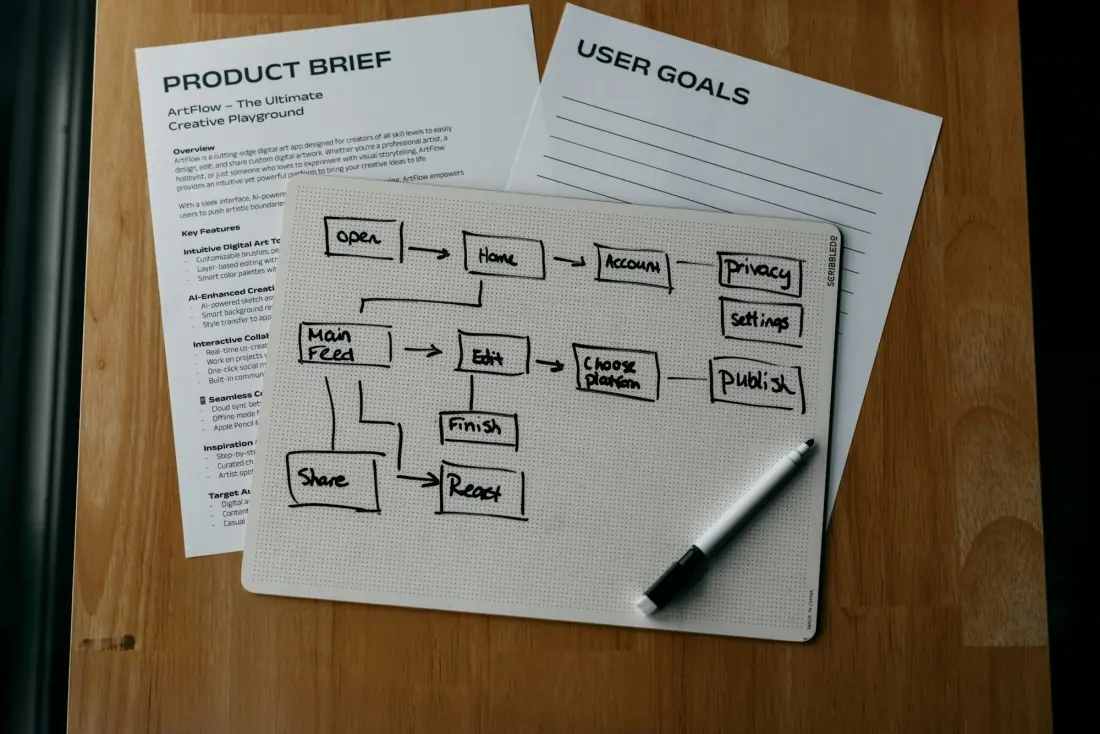
Workflow automation connects the software a business already uses, so work moves between it without a person in the middle. A trigger, such as a new form entry, a paid invoice or an incoming WhatsApp message, starts a sequence of steps: look something up, update a record, send a message, notify a person. Tools such as n8n, Make and Zapier handle most of this, with custom code where an app's API needs it.
Not every step needs AI, and we do not add it for show. Where a step needs judgement, such as reading an email, classifying a reply or drafting a response, a language model can do it inside the workflow with checks around it. Everything else stays plain, predictable automation, which is cheaper to run and easier to trust.
The work we automate.
Lead capture and routing
Form, ad and website leads enriched, scored and sent to the right person in your CRM, with an instant acknowledgement to the lead.
WhatsApp automation
WhatsApp Cloud API flows for replies, routing, reminders and follow-ups, with a clean handover to a person when the conversation needs one.
CRM and sales pipelines
Deals created, updated and followed up automatically, so the pipeline reflects reality without anyone updating it by hand.
Reports that assemble themselves
Daily and weekly numbers pulled from your tools into Google Sheets or a dashboard, and sent before the meeting starts.
Invoicing and back office
Orders, invoices, payment reminders and document filing handled across your accounting tool, inbox and shared drive.
Content and social pipelines
A content plan in a spreadsheet turned into scheduled posts with generated visuals and captions, as we run for ATR Drill.
Workflow automation
Automations we built.
Five workflows doing real work every day: research, content, creative, publishing and sales conversations. The screens are the live canvases, with people's names blurred.
Built in n8n
 Make
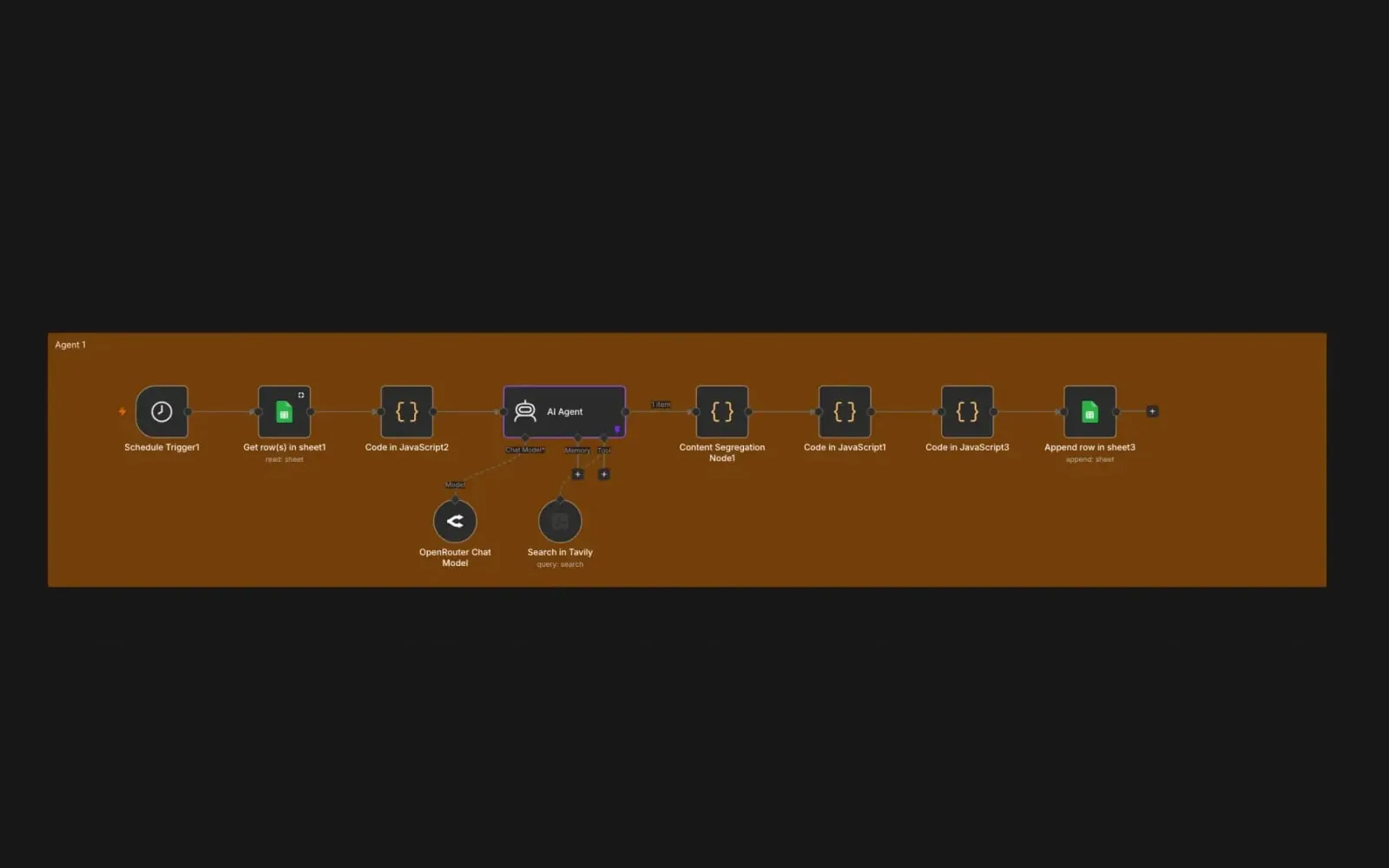
Content idea agent
Client workflow, details withheld
On a schedule, an agent reads the brand's topics from a sheet, researches each one live on the web, writes the post ideas and splits them into ready-to-produce rows, so the content plan fills itself.
n8nOpenRouterTavilyGoogle Sheets
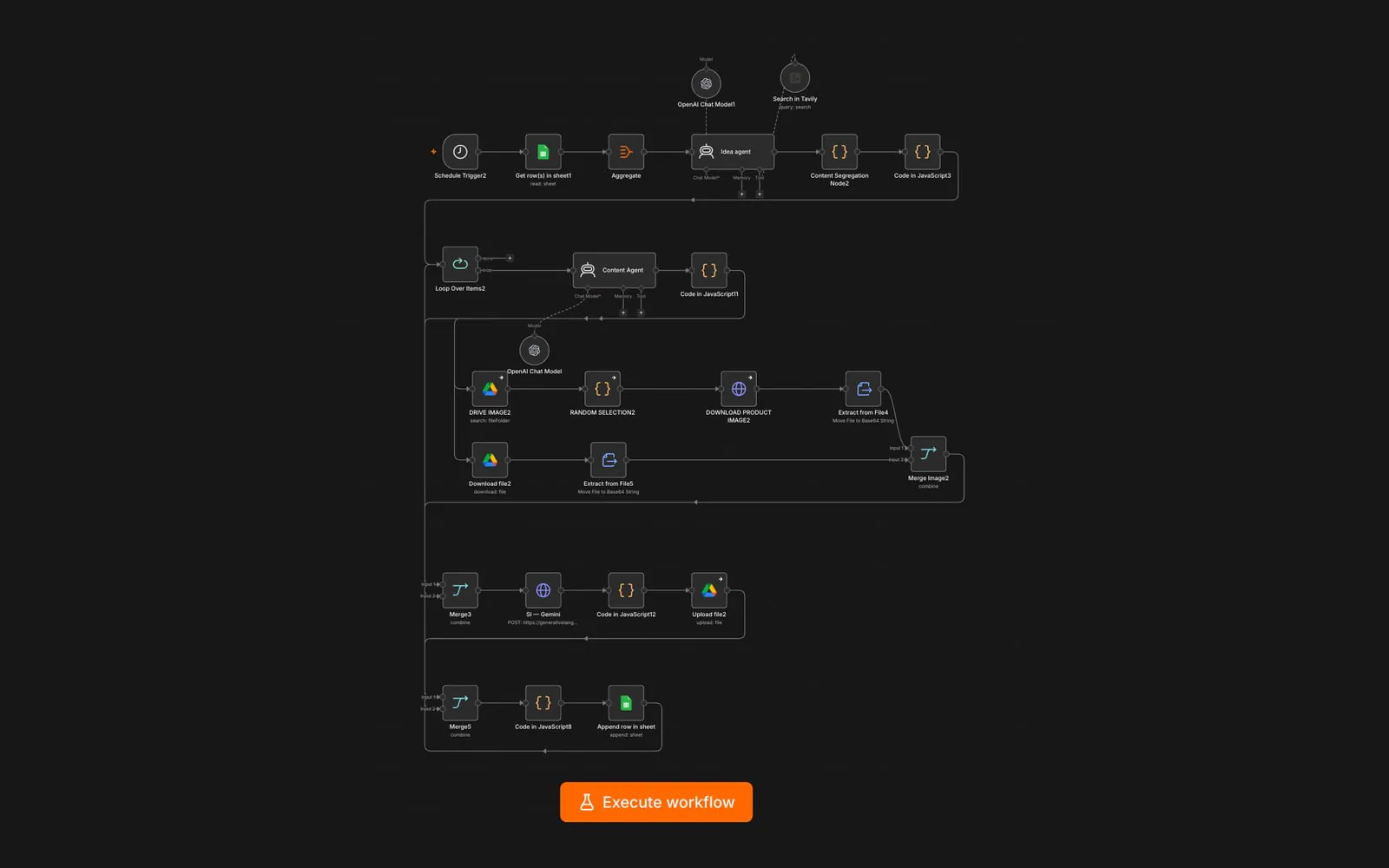
Idea to finished post
Client workflow, details withheld
An idea agent and a content agent turn each planned topic into captions, then the workflow pulls a product photo and a brand template from Drive, has Gemini compose the image, uploads it and logs the finished post to the sheet.
n8nOpenAIGeminiGoogle DriveGoogle Sheets
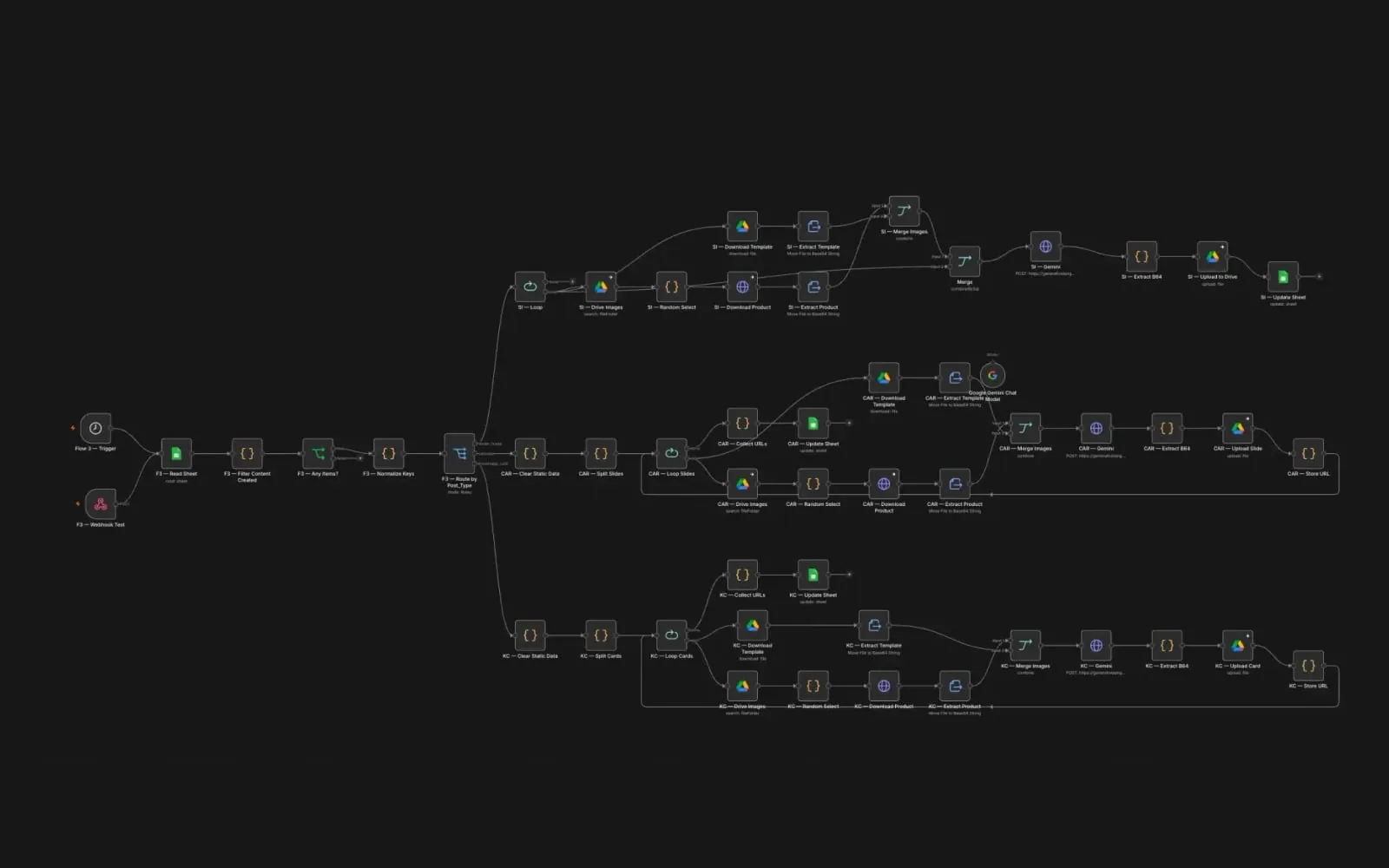
On-brand creative generator
Client workflow, details withheld
Routes each planned post by type, single image, carousel or knowledge card, merges real product shots into the brand's templates slide by slide with Gemini, and files every finished visual back to Drive and the sheet.
n8nGeminiGoogle DriveGoogle Sheets
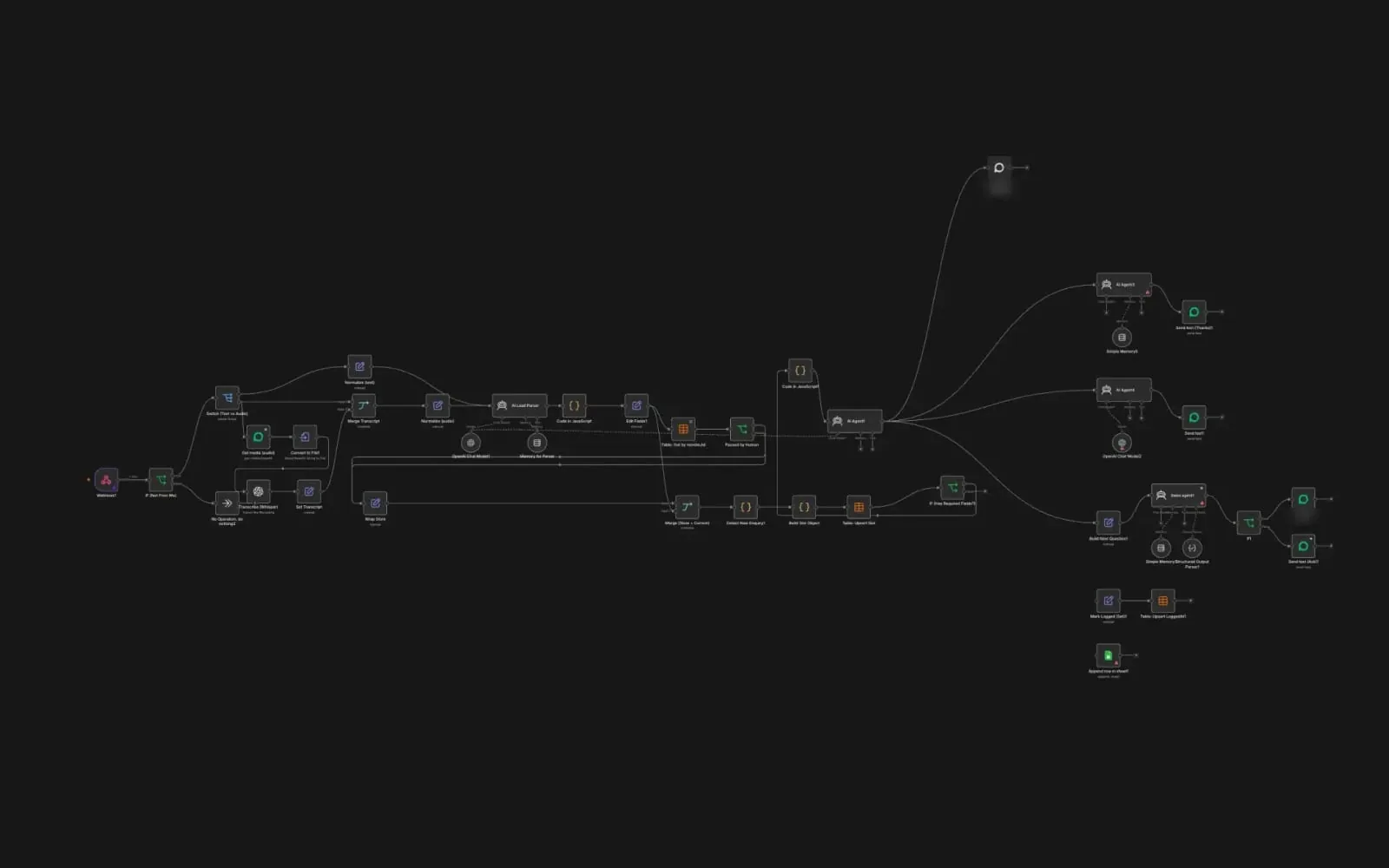
WhatsApp lead agent
Client workflow, details withheld
Reads every WhatsApp message, text or voice note (transcribed with Whisper), pulls the enquiry details into a structured lead, asks only for what is still missing, pauses when a person takes over, and hands qualified leads to sales.
n8nOpenAIWhisperWhatsApp Cloud API
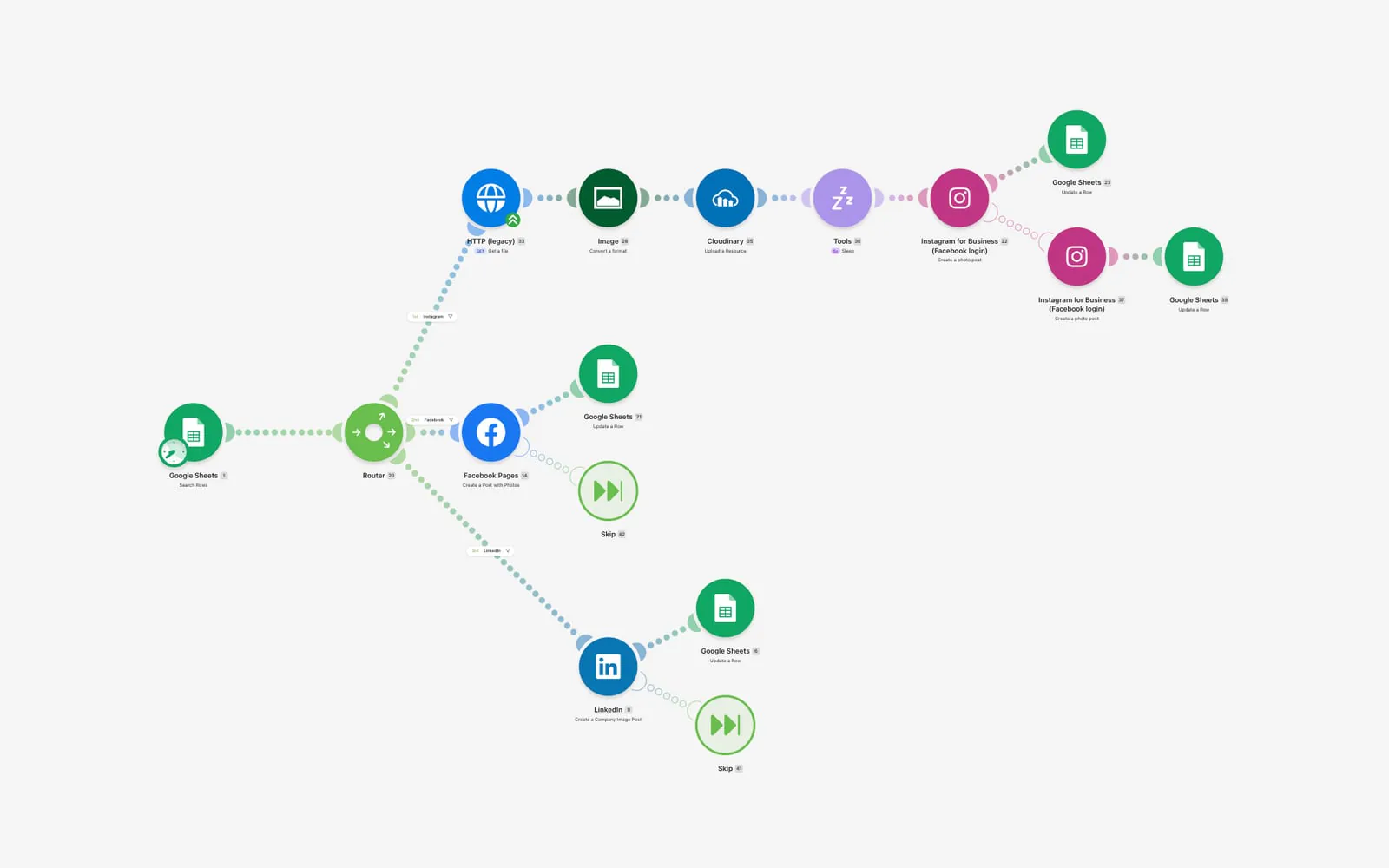
Social auto-publisher
Client workflow, details withheld
Approved rows in a content sheet are routed to Instagram, Facebook or LinkedIn, images are converted and hosted on Cloudinary, the post goes live and the sheet is marked as published.
MakeGoogle SheetsCloudinaryInstagramFacebookLinkedIn
How we build an automation.
 NamePhoneEvery lead
 DealBudgetDailyException: no budget, ask the owner
 ReplyEvery lead
Stack we reach for
- n8n
- Make
 Zapier
- WhatsApp Cloud API
- Google Sheets
- HubSpot
 Supabase
What is workflow automation?

Every automation has the same parts: a trigger, a series of actions and the data passed between them. The trigger might be a webhook from a form, a new row in Google Sheets, a scheduled time or a message arriving on WhatsApp. The actions call other apps through their APIs: create a contact in the CRM, raise an invoice, post an alert to the team, send a template message. Mapping a process into those parts, including the exceptions people handle without thinking, is most of the work. The build is often the quicker half.
Choosing a platform comes down to volume, complexity and control. Zapier is the quickest to start and has the widest catalogue of app connections, but its cost rises with every task it runs. Make gives more visual control over branching and data handling, and often costs less at higher volumes. n8n can be self-hosted, which keeps data on your own servers and makes heavy use affordable, and it allows custom code where a no-code step falls short. Plenty of businesses end up using more than one.
WhatsApp automation deserves its own note, especially for businesses in India, the UAE and Africa, where customers expect to message rather than email. The WhatsApp Cloud API, run by Meta, allows automated replies, routing and follow-ups from a verified business number. Messages that open a conversation outside the customer service window must use pre-approved templates, and opt-in rules apply, so flows have to be designed around Meta's policies from the start rather than patched later.
Workflow automation: questions
Common questions about workflow automation.
Anything else, ask us on WhatsApp or by email.
It depends on how many runs you expect, how complex the logic is and where your data must live. Zapier is fastest to start, Make suits complex visual flows, and n8n suits high volumes and self-hosting. We recommend one after mapping the process.
Guides on workflow automation.
AI and automationWhatsApp service messages are no longer free: what changed on 1 October and what to check.30 October 2026 · 5 min
 Workflow automationWorkflow automation examples: what it looks like in practice and what it saves.30 October 2026 · 5 min
Workflow automationUAE e-invoicing: what a small business must do before 31 March 2027.23 October 2026 · 5 min
 Workflow automationWhich business tasks should you automate first? Start where speed and repetition meet.17 October 2026 · 5 min
 Workflow automationWhatsApp automation pricing in 2026: plan the workflow and the running cost.15 October 2026 · 3 min
Tech newsGoogle's AI messaging for Business Profiles: should a small business switch it on?6 November 2026 · 5 min
 AI and automationAI chatbot for business: what it does and what it costs.1 November 2026 · 6 min
 Custom softwareHow much does custom software cost in India in 2026?1 November 2026 · 11 min
 AI and automationAI content pipeline: how to publish more without sounding like everyone else.30 October 2026 · 4 min
 AI and automationHow AI agents work: a goal, tools, memory and a loop of checks.30 October 2026 · 5 min
Other AI and automation services.
Also from the same team
- Web projectsWebsites that bring in enquiries.Business websitesOnline storesWordPress sites
- Custom softwareSoftware built around how you work.SaaS productsERP and internal toolsDashboards that act
- Marketing and growthMarketing measured in enquiries.Search engine optimisationAI search (GEO and AEO)Content production
Tired of being the glue between your apps?
Tell us what you need and roughly when. We will come back with questions or a time to talk.
- 1A reply within one business day
- 2A short call about what you need
- 3A written price and date before you commit
Start a project
A few fields. One reply, within one business day.